
GoDaddy: Websites & Marketing
GoDaddy Operating Company, LLCBusiness
4.32.26K Reviews
- Version
- 9.12.1
- Installs
- 10.00M
- Age Rating
- Everyone
Screenshots

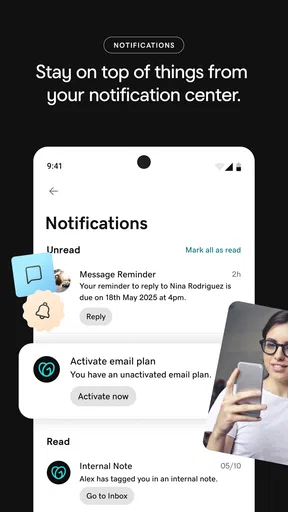
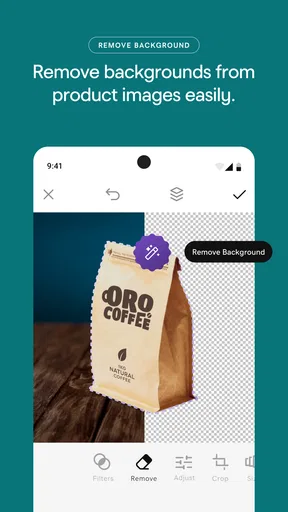
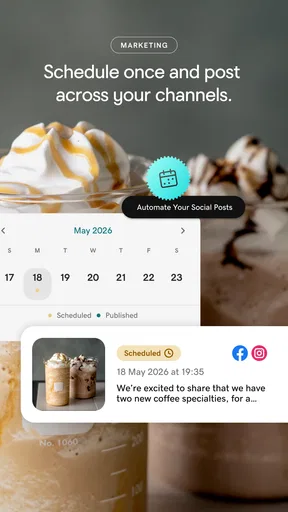
Our Review of GoDaddy: Websites & Marketing
 Analysis by Appyee
I would put this app to work in a very ordinary situation: a household member runs a small baking business, and someone else helps with photos, order announcements, or keeping the site current. A phone is convenient for quick edits between errands, but a business website is shared responsibility, not just a screen to tap. Before anyone starts changing pages, decide who owns the account and who is allowed to publish changes. That simple boundary can prevent a well-meant edit from changing prices, contact details, or a page customers rely on.
Set up roles before the first edit
GoDaddy: Websites & Marketing is most useful when one person takes the lead on the business presence and others contribute within an agreed plan. I would keep the account credentials with the person responsible for the business, rather than treating a shared phone or family login as the account itself. If someone is only helping with wording or images, have them prepare suggestions for the account owner to review. That creates a practical approval step even when the people involved trust one another.
For a shared-device routine, I would also make a habit of checking which business account is open before editing. This matters in a home where a personal project and a family business might both need an online presence. A quick check of the site name and the page being changed is less exciting than designing a new banner, but it is a useful safeguard against editing the wrong property. I would reserve bigger changes—such as reorganizing navigation or rewriting the main sales message—for a time when the owner can review the whole site afterward.
Coordinate around a real working day
Imagine a baker finishing a weekend market and wanting to post updated opening hours before Monday. A helper can gather the correct hours, choose a clear photo, and draft a short announcement; the owner can then make or approve the live change. That division keeps the work moving without assuming that every person who can use the phone should control the business account. It also helps avoid a common mobile-editing trap: focusing on one attractive section while forgetting to check whether the page still gives customers the practical details they need.
I would use the app for timely maintenance and straightforward marketing tasks, then step back and inspect the finished site as a customer would. Check that the key information is easy to find, that images support rather than bury the message, and that the page reads sensibly on a small screen. Mobile optimization is useful, but it does not replace a human review of the actual result. If several people contribute, a short shared note with the intended change and who will publish it is often enough to reduce crossed wires.
Age, trust, and the right kind of access
The app is rated for Everyone, but that age label is not a recommendation to hand business access to every household member. A child might help pick between two suitable photos or spot a spelling mistake, while the adult responsible for the business should decide what goes live and handle account-level choices. That is a sensible distinction between helping with a creative task and managing a public-facing business presence. I would keep payment and subscription decisions with the account owner as well, especially because some purchases inside the app are paid.
Trust also means reviewing what a campaign or page communicates before it reaches customers. A cheerful image or quick promotional line can still be misleading if it promises something the business cannot provide. The app can help with the mechanics of publishing and marketing, but the owner remains responsible for accuracy, tone, and follow-up. For a household business, that human check is more valuable than assuming a convenient tool can make decisions on everyone’s behalf.
A Handy Tool for Entrepreneurs
Getting started with the GoDaddy: Websites & Marketing app is a breeze. After downloading it on my Android device, I was greeted with a clean, intuitive interface. This app is designed for folks who want to build and manage their online presence without diving into the deep end of tech complexities. Whether you’re a small business owner or just someone wanting to share your passion, this app has got you covered.
Building Your Website
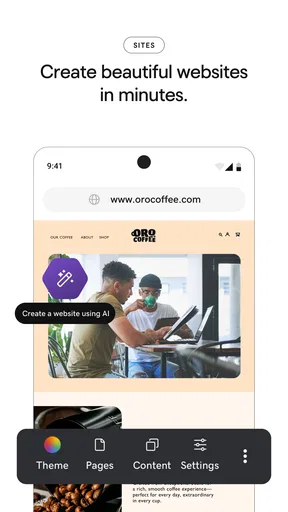
The website builder is where GoDaddy: Websites & Marketing really shines. With a ton of customizable templates, I could easily tweak my site to fit my style. The drag-and-drop feature is a lifesaver for those of us who aren't coding wizards. I was able to add text, images, and even videos with just a few taps. Plus, the app offers mobile optimization, ensuring your site looks great on any device.
Marketing Made Easy
Now, onto the marketing tools. Let me tell you, GoDaddy: Websites & Marketing makes promoting your site feel like a walk in the park. The app provides a suite of marketing options, from social media integration to email campaigns. I particularly liked the email marketing feature, which allowed me to design professional-looking emails in minutes. The app also offers insights and analytics, so you can track how your campaigns are doing and tweak them as needed.
SEO and Beyond
Let’s not forget about SEO. The app includes built-in SEO tools to help your site rank better on search engines. It guides you through optimizing your site’s content, meta tags, and more. I found the tips and suggestions quite handy, especially since SEO can often be a bit intimidating.
Customer Support
We’ve all been there—stuck on a tech problem with no clue what to do next. Thankfully, GoDaddy: Websites & Marketing offers solid customer support. I tested this out by contacting their support team via chat, and I was pleasantly surprised by the quick and helpful response. It’s reassuring to know there’s a reliable team ready to assist when needed.
Choosing it for the right job
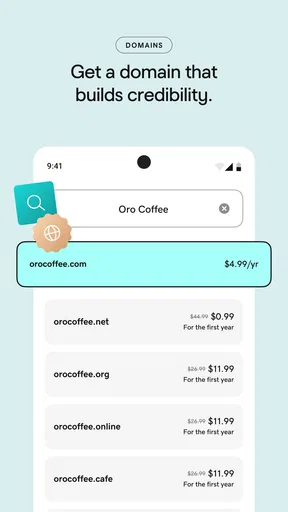
In the business-app category, GoDaddy’s main advantage is the way its website, domain management, and marketing tasks are brought together under one familiar service. That can be simpler than stitching together a separate site builder, email-marketing tool, and domain account, especially for a solo owner who wants to make routine changes from a phone. The trade-off is that an all-in-one approach is not automatically the best fit for every workflow. If you already have a site you like and only need a specialized email platform, a dedicated service may offer a more focused working environment. If you need exact control over layout or custom behavior, a desktop-oriented builder or a developer-led setup may suit you better than a template-based mobile workflow.
I would consider this app for a local service provider, independent maker, or new business that needs a presentable web home and wants to handle basic promotion without learning several unrelated tools. It is less compelling for someone whose work depends on intricate custom design, advanced site architecture, or a large team with formal publishing processes. The useful question is not whether the app has many tools, but whether its combined approach fits the way you actually manage the business. A person who only needs to make occasional updates may appreciate the convenience; a team that needs tightly controlled review stages should decide how it will manage approvals before relying on a shared mobile workflow.
Small habits that make mobile editing safer
When I make a quick update, I would first write down the intended change in plain language: what is changing, where it appears, and what a customer should understand afterward. That is especially helpful for promotions, where an email campaign, social post, and website page can drift out of sync if each is edited separately. I would prepare the wording once, check dates and terms, then review each destination before publishing. This is a practical way to use the app’s connected marketing tools without assuming that one edit automatically updates every channel.
For a new site, I would also treat the first version as a useful starting point rather than a finished brand strategy. A template can make a site look coherent quickly, but the owner still needs to choose clear photos, concise descriptions, and a next step that makes sense for customers. Before sharing the site widely, ask someone unfamiliar with the business to find the essential details without help. Their confusion can reveal a navigation or wording problem that a template preview will not catch. This kind of informal test costs little and can prevent a polished-looking page from being hard to use.
For search visibility, I would follow the app’s guidance while keeping the writing natural. SEO suggestions can give a beginner a place to start, but they cannot decide what makes a business genuinely useful to a visitor. I would make sure page titles and descriptions match the actual service, then prioritize clear answers over awkwardly repeating search phrases. The same principle applies to analytics: use them to notice patterns and ask better questions, not as a reason to change a page after every small fluctuation.
What ownership and ongoing costs mean
GoDaddy is developed by GoDaddy Operating Company, LLC, and the app is free to download. In-app purchases range from $4.99 to $69.99 per item, so I would check the specific purchase and what it covers before committing. The app’s free download does not mean every business service or long-term setup is included at no cost. For a household project, make one adult the person who checks any paid decision and keeps track of what the business has chosen, rather than letting a shared device turn a quick tap into an unplanned purchase.
People also ask whether they can run everything from a phone. The app is clearly aimed at managing a web presence on mobile, and that is handy for everyday edits, but I would not assume a phone is the ideal place for every substantial task. Writing a long page, comparing several design options, or carefully reviewing a campaign may be easier on a larger screen. A sensible workflow is to use the phone for quick upkeep and immediate marketing work, while giving bigger changes a deliberate review rather than rushing through them between other tasks.
Another practical question is whether the app suits someone who has never built a website. Its approachable builder and guided SEO tools make it less intimidating than starting with code, which is a real advantage for beginners. Still, ease of editing does not remove the need to supply accurate business details or make choices about what customers should see first. I would start with the essential pages and contact information, then add extra content only when it serves a clear purpose. That keeps the initial project manageable and makes later updates easier to coordinate.
Trust, reputation, and the household verdict
The app has an average rating of 4.4 from around 42,000 ratings, with about 2,200 written reviews and over 10 million installs. Those figures suggest that it has reached a broad audience, but they cannot tell me whether its workflow fits a particular business. I would use them as background, then judge the app by the tasks I need to do: can I make a clear update, keep marketing materials consistent, and manage the site without turning routine work into a technical project?
It was released on November 25, 2018, and version 8.5.1 requires Android 6.0 or later. The Everyone content rating makes the app broadly suitable for general audiences, while actual business access still calls for adult oversight and sensible account boundaries. For a household running a small business, I like the idea of using it as a shared work surface with one accountable owner, clear review habits, and occasional help from others. I would skip it if the household expects a phone app to replace a dedicated designer, a complex team process, or careful decisions about who can publish and spend.
The Final Verdict
In the end, I’d say the GoDaddy: Websites & Marketing app is a great tool for anyone looking to establish and grow their online presence. It combines ease of use with powerful features, making it ideal for beginners and seasoned users alike. From building a sleek website to running effective marketing campaigns, this app has it all.
If you’re on the hunt for an app that can help you manage your website and marketing efforts efficiently, this one’s definitely worth checking out. So, why not give it a whirl and see how it can work for you?
Verdict
Strengths of GoDaddy: Websites & Marketing
- Intuitive interface for quick setup.
- Wide range of customizable templates.
- Integrated marketing tools included.
- Responsive customer support available.
- Affordable pricing for small businesses.
Limitations of GoDaddy: Websites & Marketing
- Limited design flexibility for advanced users.
- E-commerce features require higher plans.
- Occasional slow loading times reported.
- Email marketing tools have basic features.
- Limited third-party app integrations.
Other Releases by GoDaddy Operating Company, LLC
View All
GoDaddy Conversations
Communication3.6
Similar Picks in This Category
View All
LinkedIn: Community & Network
LinkedIn3.8

Zoom Workplace
zoom.com4.1

Microsoft Teams
Microsoft Corporation4.6

Meta Business Suite
Meta Platforms, Inc.4.6

Webex Meetings
Cisco Systems, Inc.4.5

TeamViewer Remote Control
TeamViewer4.4
Frequently Asked Questions
What is GoDaddy: Websites & Marketing?
GoDaddy: Websites & Marketing is a comprehensive app designed to help users easily create and manage their websites. It offers a variety of tools for building professional-looking sites without coding knowledge. The app also provides marketing features to help users promote their businesses, track analytics, and engage with customers.
Is GoDaddy: Websites & Marketing suitable for beginners?
Yes, GoDaddy: Websites & Marketing is ideal for beginners. The app offers user-friendly templates and drag-and-drop functionality, making it easy to design a website without any prior experience. Additionally, the app provides step-by-step guidance and support to help users through the process of creating and maintaining their sites.
What marketing features does this app offer?
GoDaddy: Websites & Marketing includes a range of marketing tools designed to boost your online presence. It features SEO optimization, email marketing campaigns, and social media integration. The app also provides analytics to help you track your website's performance and make data-driven decisions to improve your marketing strategies.
Are there any costs associated with using GoDaddy: Websites & Marketing?
While GoDaddy: Websites & Marketing offers a free plan, it also provides premium plans with additional features. These paid plans include more comprehensive marketing tools, e-commerce capabilities, and priority support. Users can choose a plan based on their needs and budget, allowing for flexibility in managing their online presence.
Can I integrate e-commerce into my website with this app?
Yes, GoDaddy: Websites & Marketing supports e-commerce integration. Users can set up online stores, manage inventory, and process payments directly through the app. It also offers features like customizable product listings and secure checkout options, making it a convenient choice for businesses looking to sell products online.
